
SWITCHBACK TV PHONE REMOTE
Your phone is the remote.
Scan the code on the TV and the remote opens in your phone’s browser. There is no app to install and no account. Type searches and playlist details with your phone’s keyboard instead of the TV remote.
Connect in seconds
On the TV, open Settings › Phone remote and scan the QR code with your phone’s camera. The remote opens in your phone’s browser and connects straight away, with no PIN. If you type the address shown under the code instead and the remote asks for a PIN, enter the 4-digit PIN from that same TV screen. It is not your parental-lock PIN.
Keep the phone and the TV on the same home Wi-Fi, with Switchback TV open on the TV.
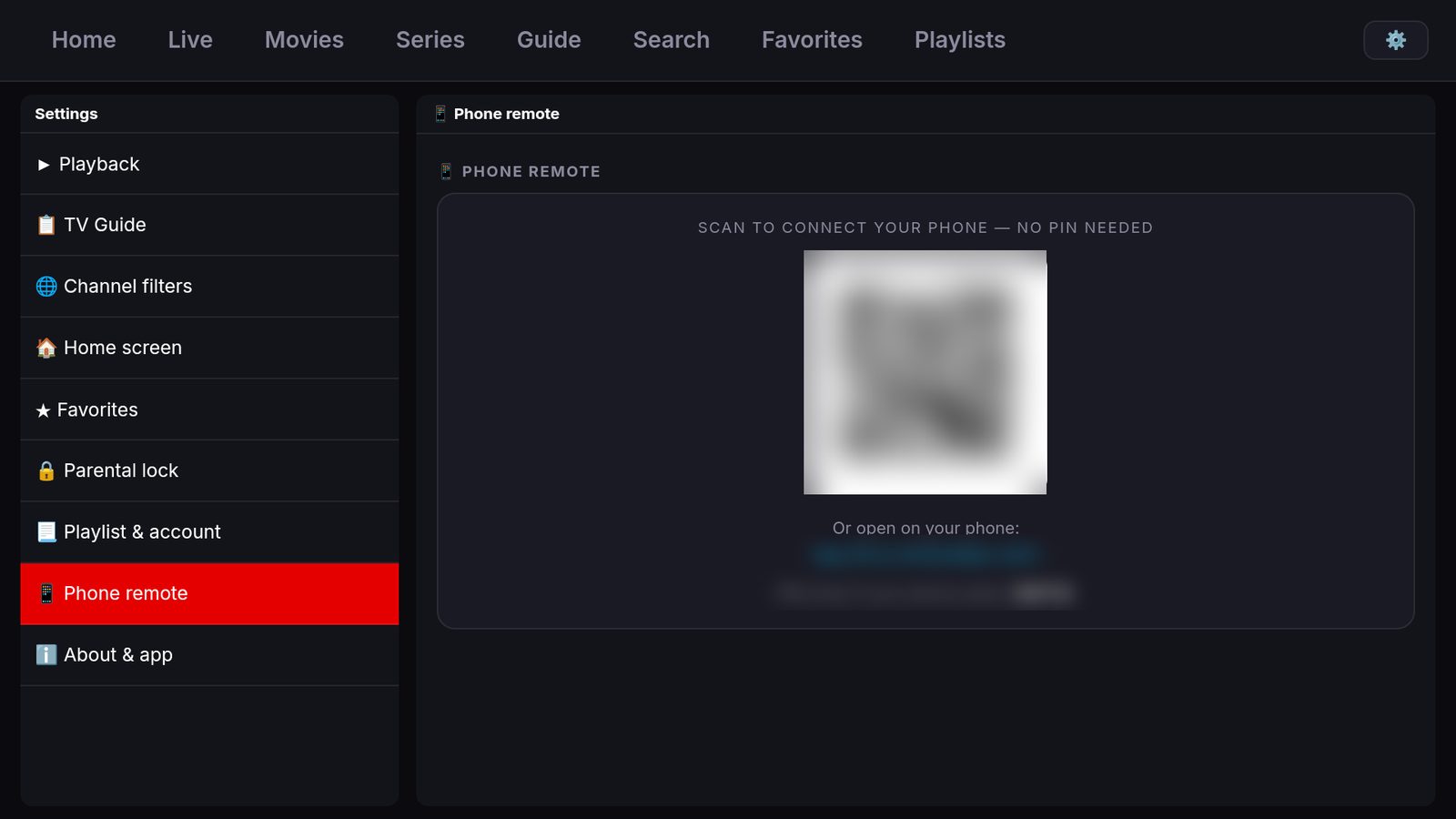
The QR code, address and PIN are blurred in this screenshot. Your TV shows its own.
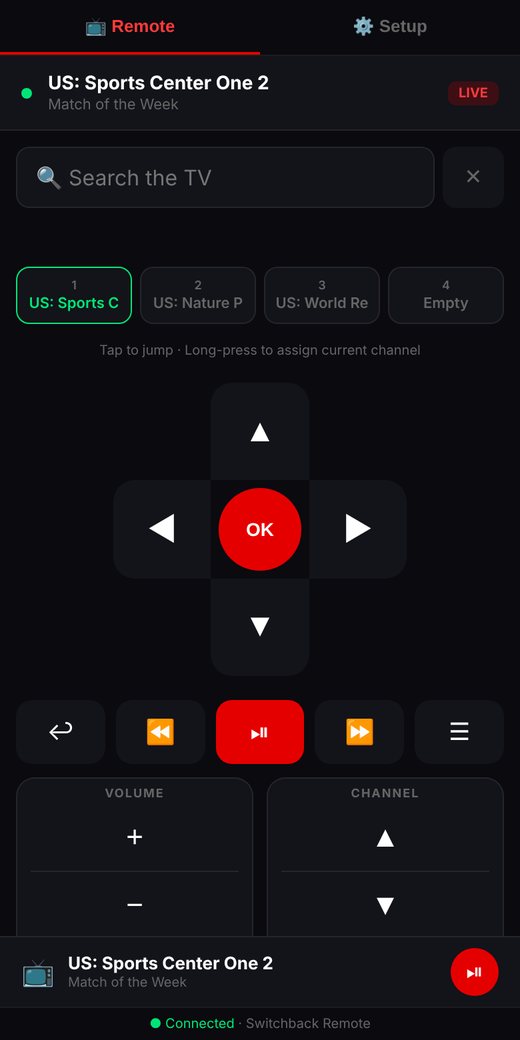
Everything the TV remote does, and more
- Arrows, OK and Back, play/pause, rewind and fast-forward, and the menu button.
- Volume and channel up and down, and a number pad for channel numbers.
- The four Switchback slots: tap one to jump to that channel, or long-press to save the channel you are watching into it.
- Search the TV with your phone’s keyboard instead of the on-screen one.
- Shortcuts to Home, Guide, Live TV, Search, Favorites, Recordings and Settings, plus a sleep timer of 15, 30 or 60 minutes.
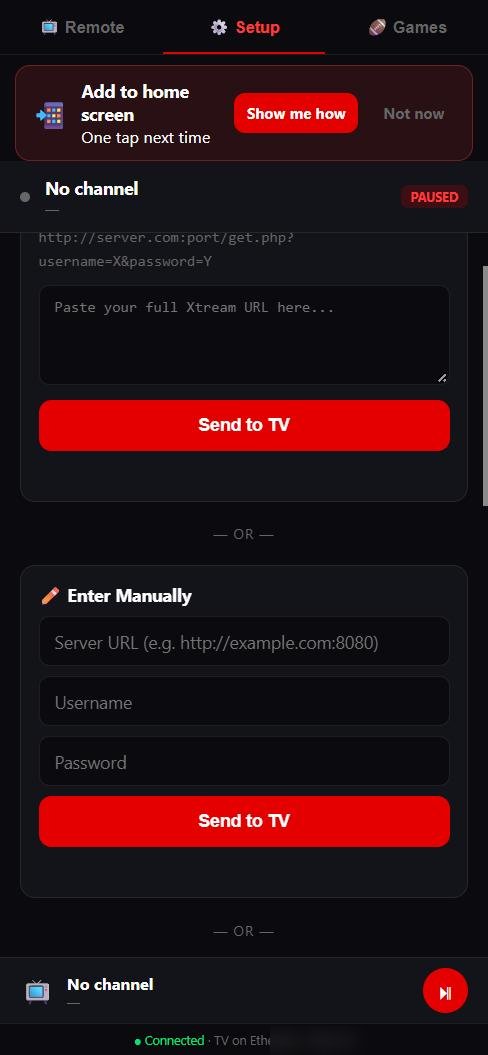
Send your playlist from the phone
Typing a long playlist address with a TV remote is slow. In the remote’s Setup tab you can:
- paste an M3U playlist address, or the playlist link your provider sent you with your username and password in it,
- enter the server address, username and password, or
- upload an M3U playlist file, or the .txt or JSON file your provider sent with your login in it (up to 32 MB),
then choose Send to TV. The phone shows what the TV imported. Raw MPEG-TS streams (for example HDHomeRun over-the-air channels) don’t play yet. The same tab sets the weather town for the TV’s home screen and an optional TMDB key for movie posters and ratings.
Nothing to install
- The remote is a web page served by Switchback TV on your TV, so there is no app to download and no account to create.
- What you type goes straight to the TV over your home network.
- Choose Add to home screen in the remote for one-tap access next time. It works while Switchback TV is open on the TV.
- Moving the remote to a different TV? Use Clear Saved PIN in the Setup tab, then scan that TV’s code.
Phone won’t connect?
- The phone is on your home Wi-Fi, not mobile data, and on the same network as the TV: not a guest network or an extender with its own name.
- Turn off any VPN on the phone.
- Switchback TV is open on the TV.
- After the router restarts, scan the code again, because the TV’s address may have changed.
More detail is in the user guide.